Incognito mode: who it hides you from, and who it doesn't
Close an incognito window and your history, cookies and form data are gone. But only from your own computer. The website you visited, your internet provider and the company network see your steps exactly as they always do. The key points, in short.
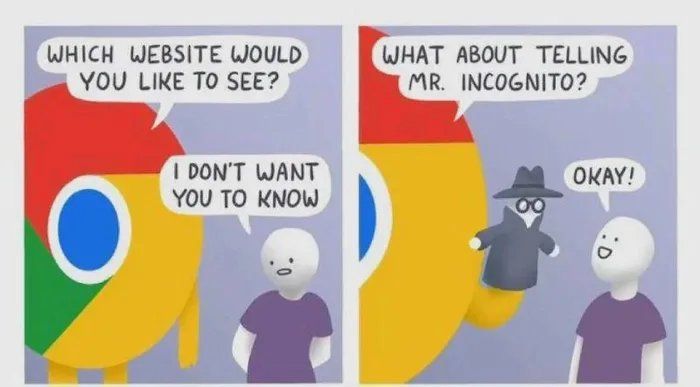
Plenty of people open an incognito window and feel invisible. That gap between expectation and reality led to a 5 billion dollar class action against Google in 2020. Browsers have described the mode more precisely on their welcome screens ever since. Hardly anyone reads it, so here is the short version.
What an incognito window really does
It behaves as if you had launched the browser for the first time on a new computer. Once you close every incognito window, it deletes:
- Browsing and search history.
- Cookies and site data. They work normally while the window is open; closing it logs you out of every account.
- Form data, passwords and addresses for autofill.
- The cache.
- Permissions for the microphone or camera that you granted a site during the session.
One exception: downloaded files stay on the computer. If nobody else should see them, you have to delete them yourself.
It also works the other way round. Once the window is closed, nobody can recover that session's history from the browser. Not even you.
Who still sees you
The browser cleans up after itself, but the connection itself runs exactly as usual. Incognito mode doesn't encrypt your traffic and doesn't hide your IP address. So you are still visible to:
- The website you visit. It knows your IP address, and with it your rough location. As soon as you log in, it knows exactly who you are and links the whole visit to you.
- Your internet provider. It sees the domains you connect to, when, and how much data flows.
- Your employer or school. On a company network, traffic goes through their servers, proxies and DNS. The admin can watch it in real time, and a work laptop may have monitoring software built right in.
- Ad networks. Without a tracker blocker they recognise you even without cookies, by your browser fingerprint: screen resolution, fonts, operating system, hardware.
When it's useful
Despite all that, it's a handy tool. Just for different things than people think:
- Someone else's or a shared computer. You leave no passwords or history behind.
- Gifts. No telltale ads show up on the family computer.
- Two accounts on one service at once. The second account without logging out of the first.
- Testing a website. A clean state with no cache and no saved login. I use this daily.
- Sensitive searches. Nothing lands in the history or the address bar suggestions.
When you want more
If what you do should stay hidden from your provider or the network admin too, an incognito window isn't enough:
- A VPN encrypts your traffic and replaces your IP address with its server's. Your provider no longer sees where you go, and websites only see the VPN.
- A browser or extension that blocks trackers. Brave blocks them out of the box; in Firefox and Chrome add uBlock Origin or Privacy Badger.
- An up-to-date system and antivirus. No incognito mode protects you from a keylogger or spyware.
Browsers are meanwhile working on the next step: IP address masking, blocking device fingerprints and encrypting DNS queries (DNS over HTTPS), so nobody on the local network sees which domains you load.
An incognito window is a good broom for the traces on your computer. Nothing more, nothing less. Real privacy rests on habits, not on one item in a menu.